Evokaris Event Suitefor events & trade fairs

For trade fairs, congresses and festivals

What’s on when, and who’s where.

Your visitors want to know two things: What’s on right now, and where do I find it? The Evokaris Event Suite answers both on your website, on every smartphone and on screens outside the halls. You manage everything in one place in WordPress.

Try it yourself: Both product pages include a live demo with the real plugin, for the website and the WordPress backend. The “Seitenwind Convention 2026” in it is fictional.

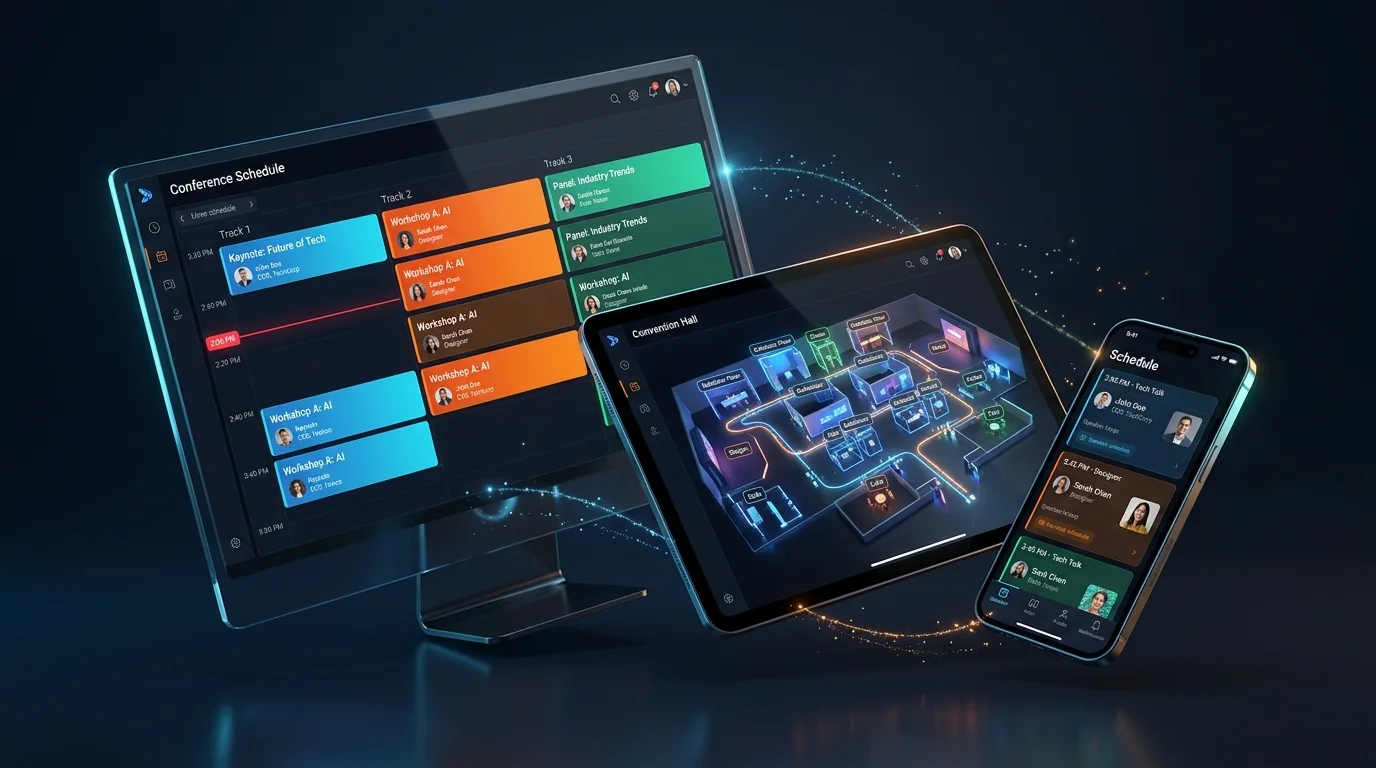
Monitor, tablet and smartphone showing the timetable, hall plan and program of an event.
AI generated
Timetable
all halls at a glance
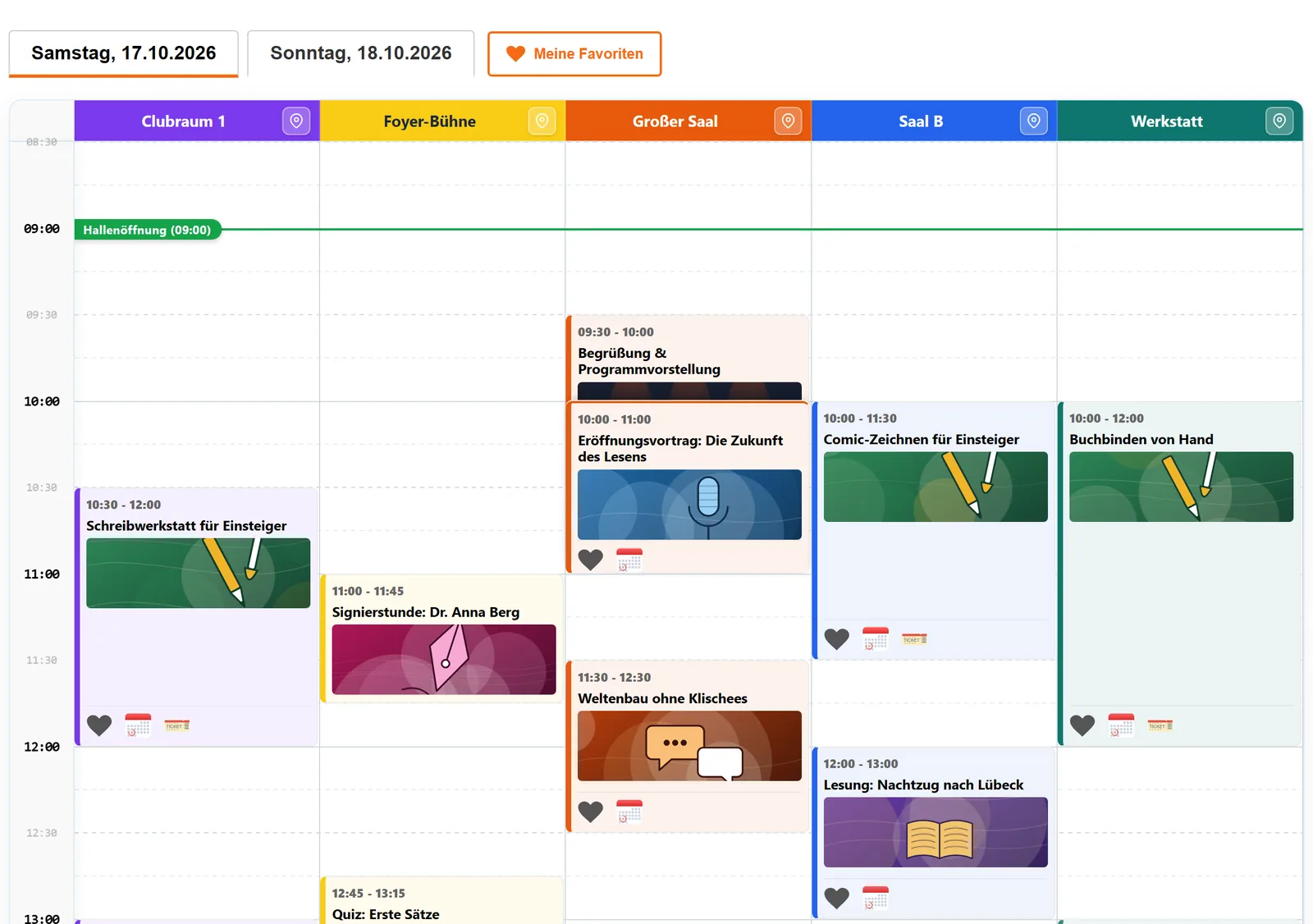
Parallel program items side by side, with a “now” line and filters.
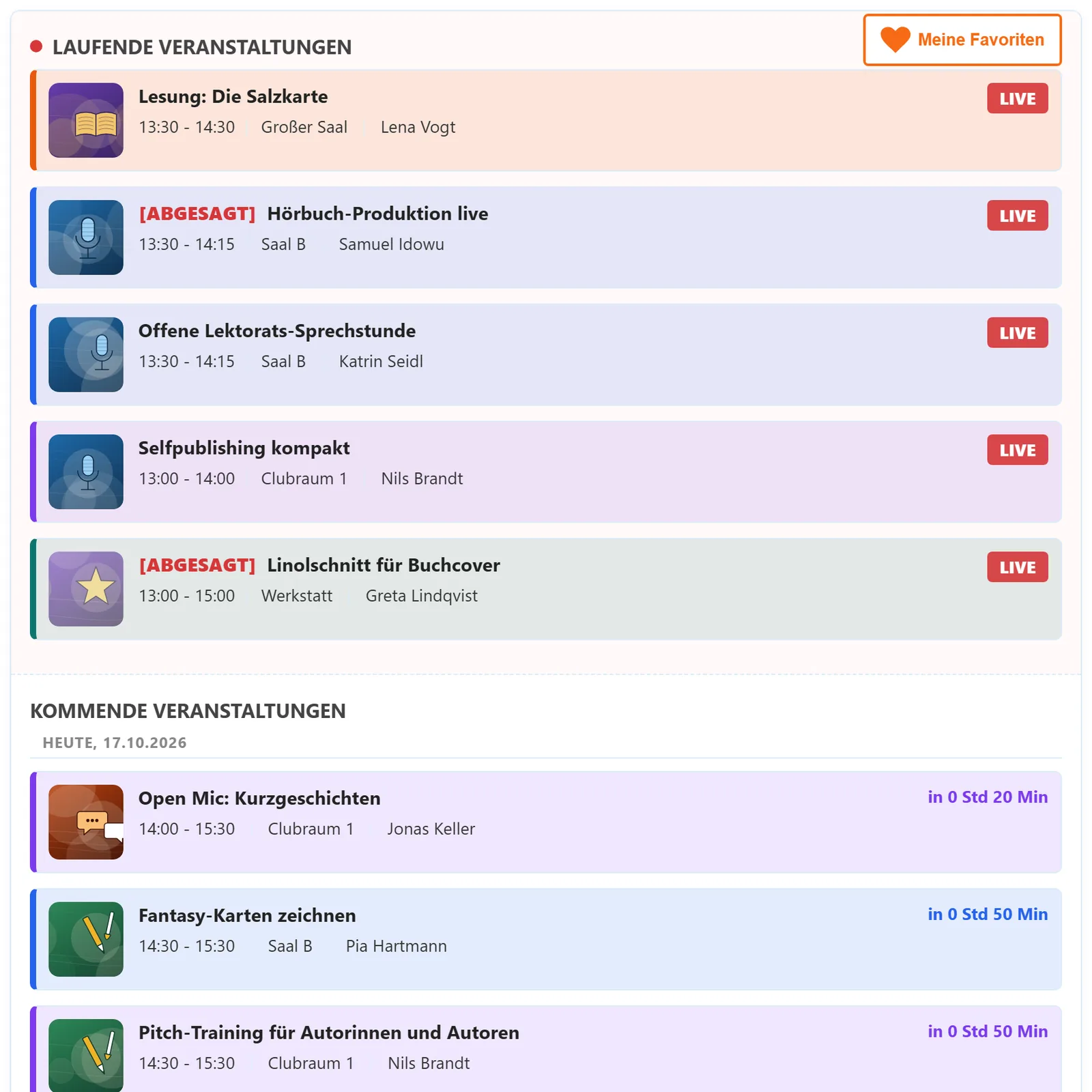
Live
what’s on right now
Live ticker and room monitors show what’s on and what’s next with a countdown.
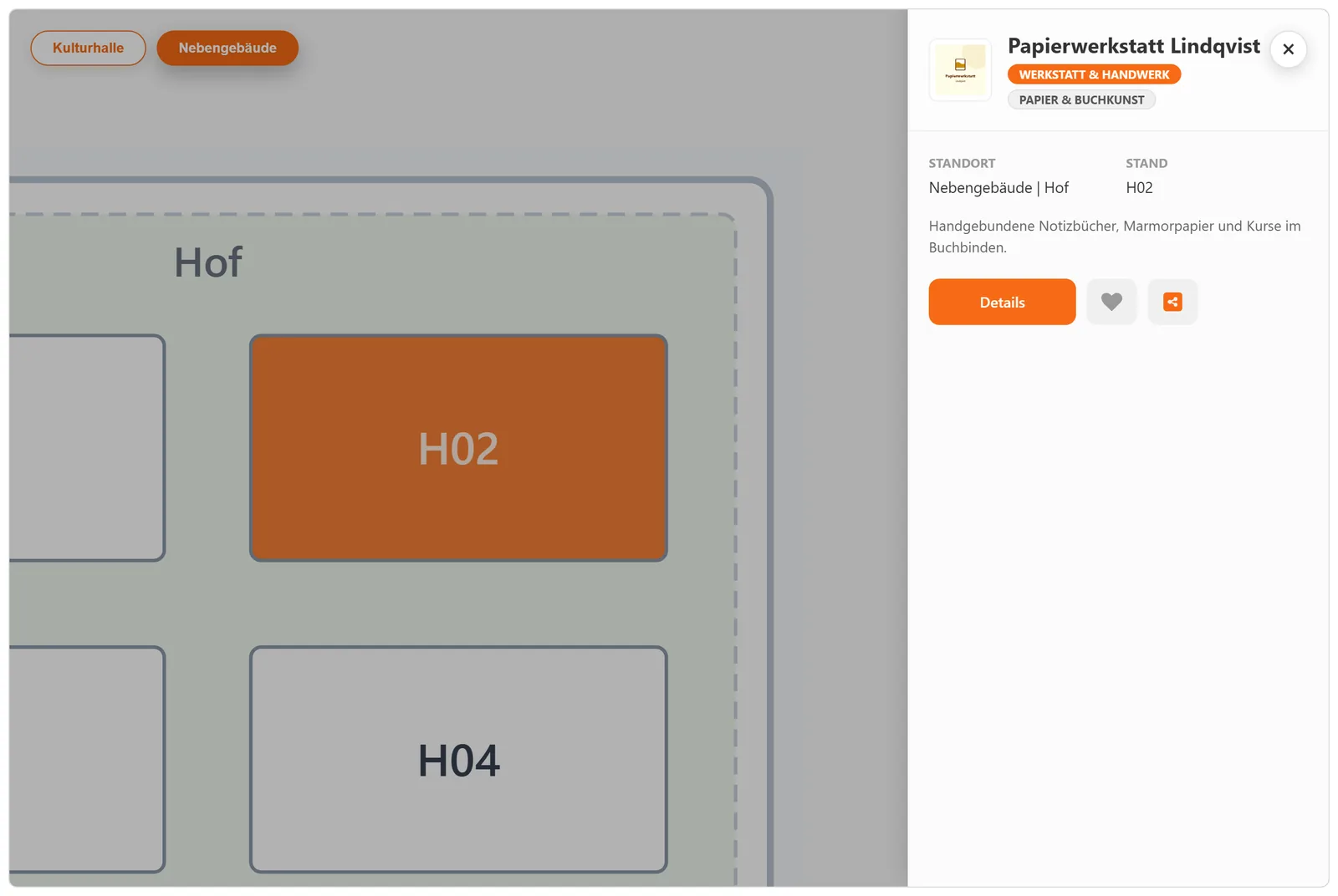
Hall plan
find every booth
Interactive plan with search: a click on the booth opens the exhibitor profile.
Favorites
no sign-in needed
Guests put together their program and take it to their smartphone via QR code.

What it does for your event

Why your event needs these plugins

With many program items, rooms or exhibitors, a list of dates on your website is not enough. Visitors want to check what’s on while they’re out and about, and find the right room or booth. Your team wants to enter changes quickly. That is exactly what the Evokaris Event Suite is made for.

The whole program at a glance

All halls side by side, a “now” line and filters by venue or category: visitors immediately see what’s running in parallel and find what interests them.

Change it once, up to date everywhere

Room change or cancellation? You change the program item once in WordPress. Website, smartphones, live ticker and monitors all use the same data, and cancellations are clearly marked.

Digital displays outside every hall

The room monitors from the add-on show what’s on now and what’s next, and switch to the minute. If the Wi-Fi fails, they keep running.

Straight to the right room and booth

The interactive hall plan offers search across all floors and quick filters for restrooms, food or first aid. Location points with QR codes show guests on site where they are right now.

More visibility for exhibitors and sponsors

Every exhibitor gets a profile with logo, description, links and their place on the plan. Featured partners stand out right away. With both plugins running, the profile also shows their program items.

Powerful tools for your team

Edit many program items in one table, create speakers once and use them repeatedly, import data via CSV and check it before the start. All in your own WordPress.

Who is it for?

Made for events with a lot going on

As soon as several halls, many sessions or exhibitors come together, a PDF and a single web page are no longer enough.

Trade fairs & exhibitions

Guests search by company or category and immediately see where the booth is. A click on the booth opens the exhibitor profile.

Congresses & conferences

Parallel talks, many speakers, several halls: the timetable shows everything at a glance, and guests put together their own program.

Festivals & campus events

Stages, workshops and signing sessions spread across several buildings: the site plan leads from outside to the right room, and the ticker shows what’s on right now.

The plugins

Two plugins that work together

Each plugin runs on its own, and together they are stronger. The product pages show all features with a live demo and which plan includes what.

Program · Version 2.0.0

Convention Schedule & Program Planner

Hundreds of program items on many stages as one plan visitors understand at a glance.

  • Calendar and timetable. Tiles or list, plus a timetable with all halls and a “now” line.
  • Live ticker. What’s on now at the top, what’s next with a countdown, switching on the minute without reloading.
  • Speaker directory. Profiles with appearances and links, plus search, role filter and groups.
  • Favorites without an account. To the phone by QR code, into the calendar as an iCal file.
  • Backend for your team. Change many program items at once, check data before the start, import via CSV.

Room Monitor & Kiosk Hub add-on: a screen outside every hall that switches to the minute and keeps running without a network, plus a start screen where every device finds its display.

In the demo: Calendar · Timetable · Ticker · Speakers · Room monitor · Hub · Admin
Exhibitors · Version 1.8.1

Event Exhibitor Manager

Who’s here, what’s on offer, where’s the booth: exhibitors as a directory and as a hall plan.

  • Directory. Grid or table, search and filters by type, category, location, country and products, featured exhibitors.
  • Interactive hall plan. Every booth is one click away – as a classic plan, a campus with buildings or a fairground on a real map, with search, quick filters and floor selection.
  • Pop-up or detail page. Logo, booth, country with flag, products, gallery and contact.
  • Ready to print. Plan with list, an A–Z list or a booth sign for each exhibitor.
  • Backend for your team. Quick-start wizard, data checks, bulk changes and CSV import.

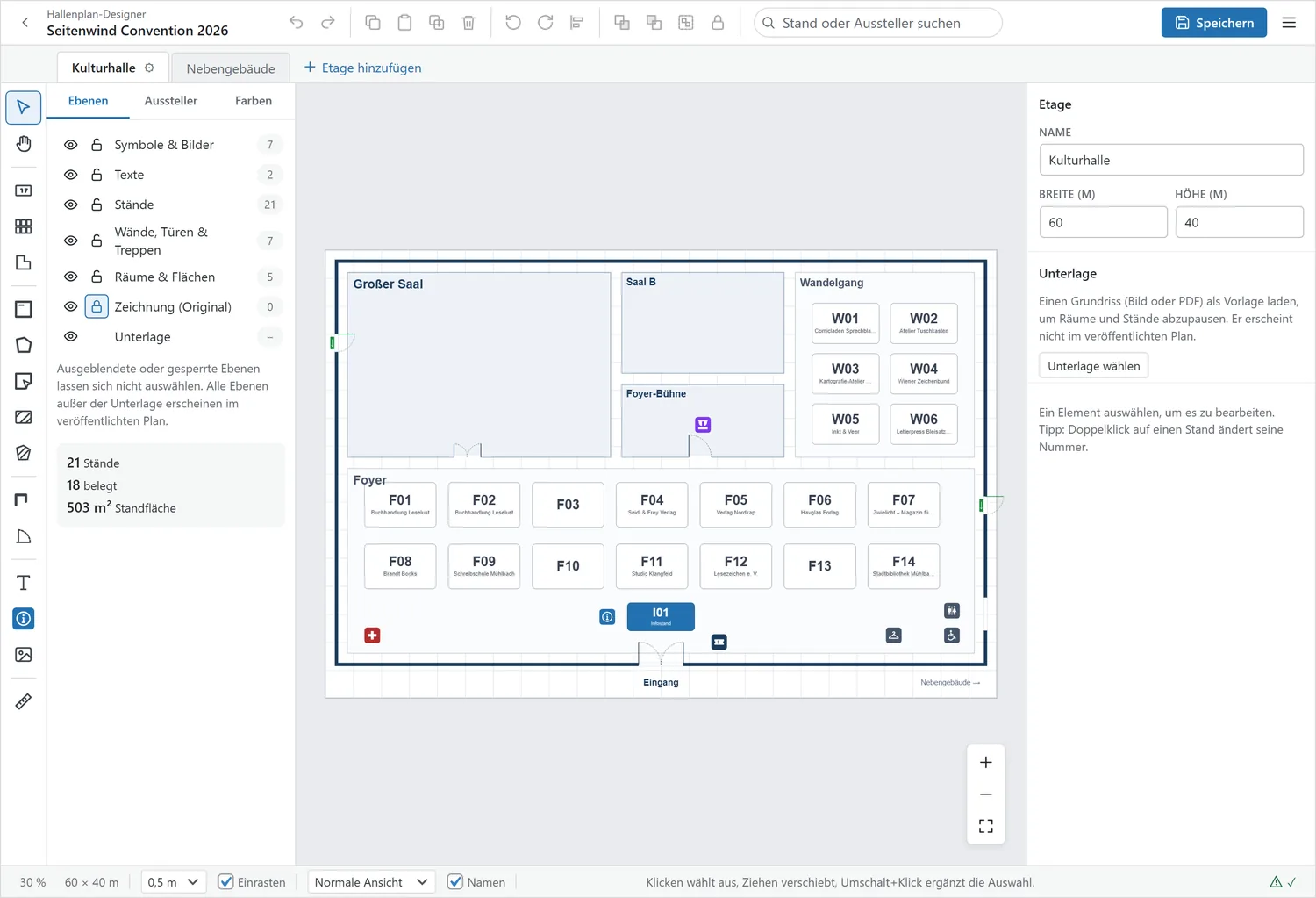
Hall Plan Designer add-on: draw hall plans right in WordPress – floors, rooms, whole booth rows – and drag exhibitors onto their booth with the mouse.

In the demo: Directory · Hall plan · Campus · Fairground · Detail page · Print view · Admin · Working with the calendar

In practice

A look at the user interface

This is what it looks like in practice: easy to manage for your team, clear and well organised for your visitors.

Live preview: Timetable grid
Preview of the timetable grid with stages and sessions
Live preview: Live ticker
Preview of the live ticker with countdown

Feature preview · Convention Schedule

Hundreds of sessions as a clear, interactive timeline

Whether a multi-day festival or a trade fair with many parallel talks: your visitors always keep track. If you like, the timetable switches to the current day automatically.

  • Timetable across all halls: All rooms side by side, with a “now” line and colours by venue or category.
  • Live ticker: Which talk is on now, which starts next? With a countdown and without reloading the page.
  • Digital room monitors (add-on): Room name, time, current and next program item on the screen outside each hall, even during a network outage.
  • Favorites without signing in: Visitors save favorites and take their personal schedule to their phone via QR code or into iCal.
Live preview: Interactive hall plan
Preview of the interactive hall plan with booths
Live preview: Hall plan designer
Preview of the hall plan designer drawing booth rows

Feature preview · Event Exhibitor Manager

From booth location to exhibitor profile in one click

Give your exhibitors the stage they deserve. The interactive hall plan zooms smoothly and takes guests from the booth to the exhibitor profile with one click.

  • Interactive hall plan: Sharp at any size and easy to use on any screen. A click on the booth opens the exhibitor profile.
  • Hall Plan Designer (add-on): Import floor plans, draw walls, rooms and booth rows, and assign exhibitors by drag & drop.
  • Filterable exhibitor directory: Search by company name, category, location, and country with national flags.
  • Print views & booth signs: Generate print-ready hall plans, A–Z exhibitor directories, and uniform booth signage at the touch of a button.

Flexible Integration

Your website doesn’t run on WordPress? No problem!

Simply set up WordPress as your program hub on a subdomain and embed the program and hall plan in your existing website. No relaunch needed. Full-screen pages, embedding and the API are part of the PRO plan, and the monitors are an add-on.

Your own full-screen pages

Both plugins come with their own full-screen pages. On smartphones and tablets you can add a navigation bar at the bottom like in an app, with no download or registration.

Embed in any website

Whether Typo3, Webflow, Squarespace, Wix, Joomla or a static site: one line of HTML is enough to embed the program or hall plan. The design of your main site stays untouched.

Monitors & info kiosks

Screens outside the halls and in the foyer only need a browser and an address. They fetch their data from the subdomain, and your main site stays untouched.

An interface for your own projects

Via the public API, dates, halls, speakers and booths also reach your own apps, info terminals or other systems. Ideal if your agency or IT has bigger plans.

Quick start without a website redesign

Ready on your domain in 3 simple steps

1 Create a subdomain: Set up WordPress on a subdomain, e.g. program.your-event.com.
2 Add your data: Activate the plugins and enter program and exhibitors, or import them via CSV.
3 Embed freely: Share the link with visitors, print QR codes or embed it in your website.
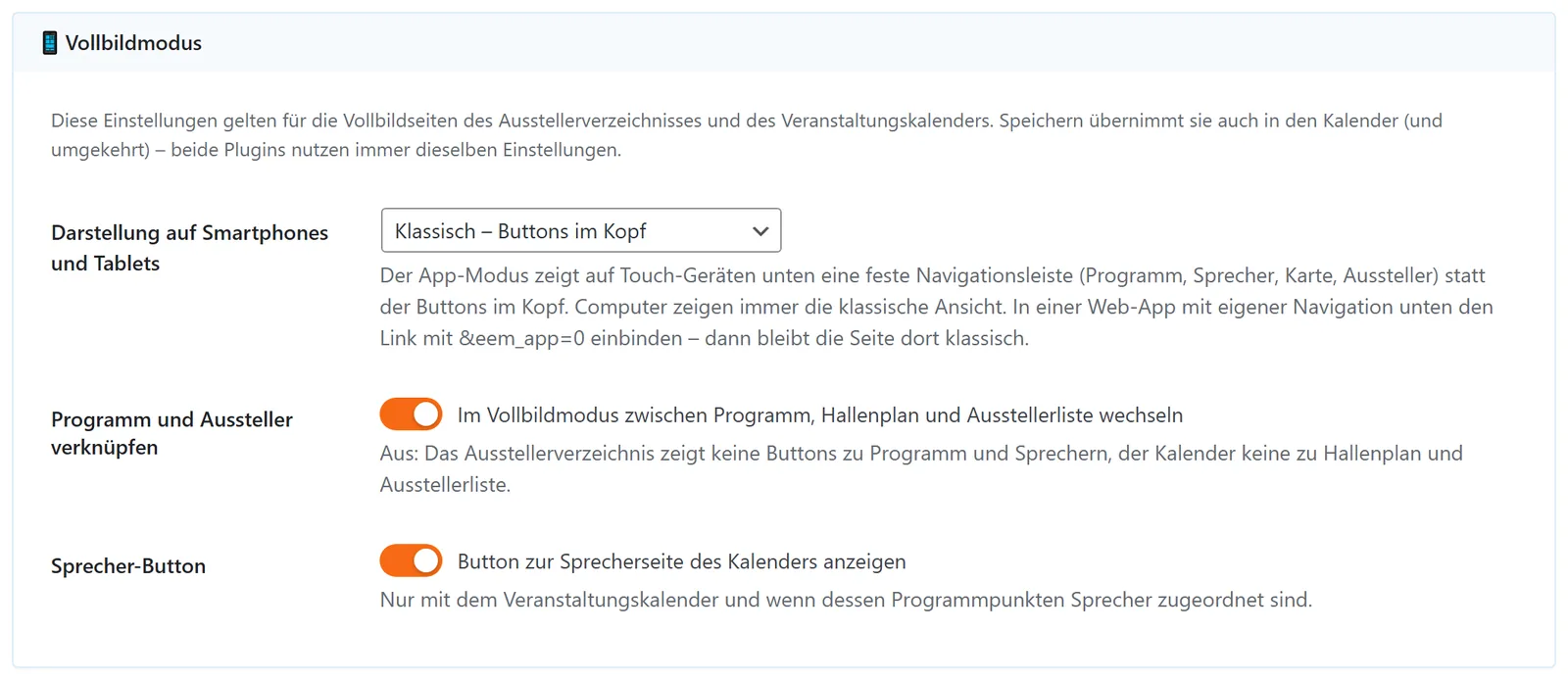
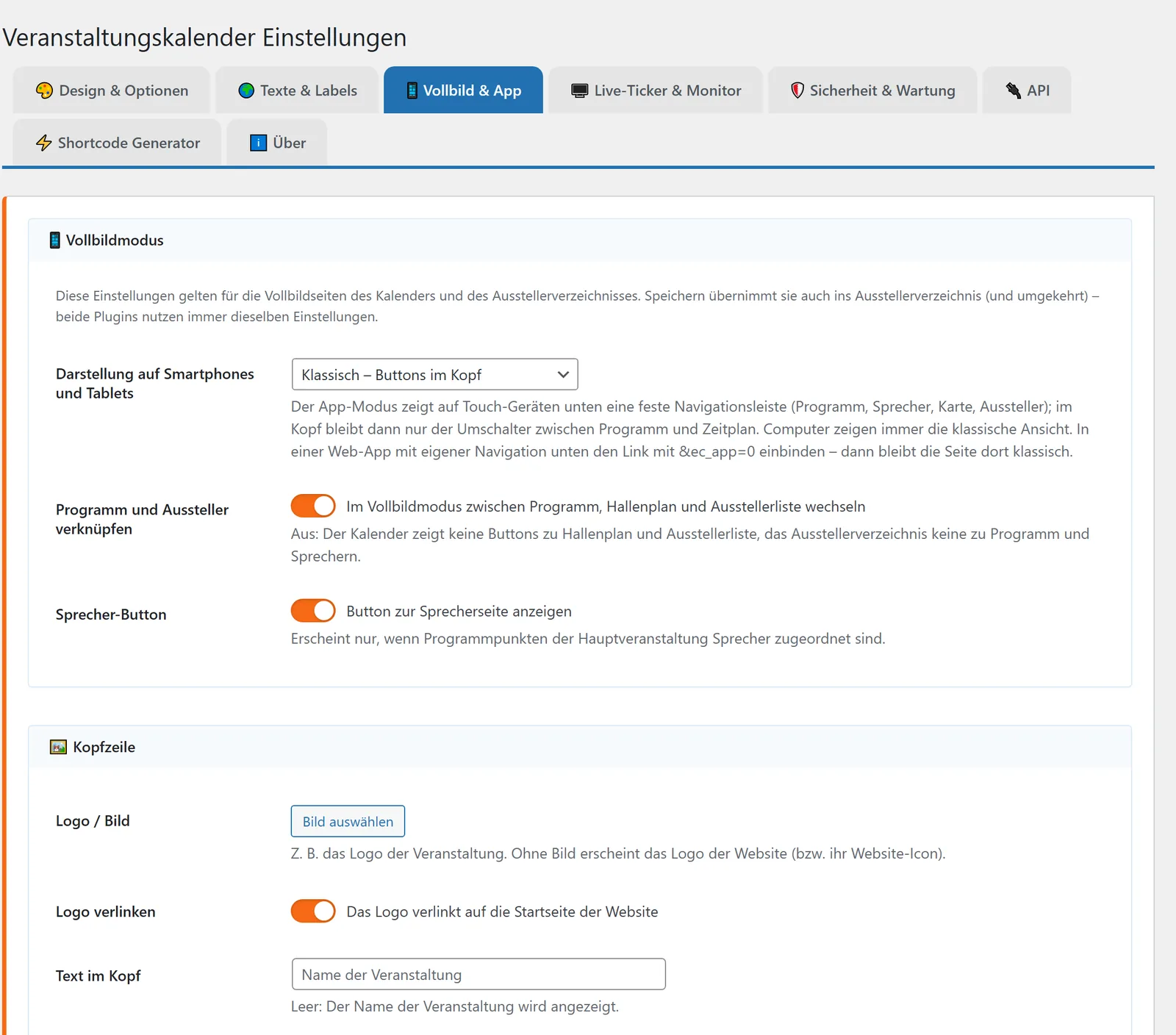
Full-screen & App: Settings
Preview: Full-screen & app settings in WordPress

Like an app, without an app store

Your event in app style, right in the browser

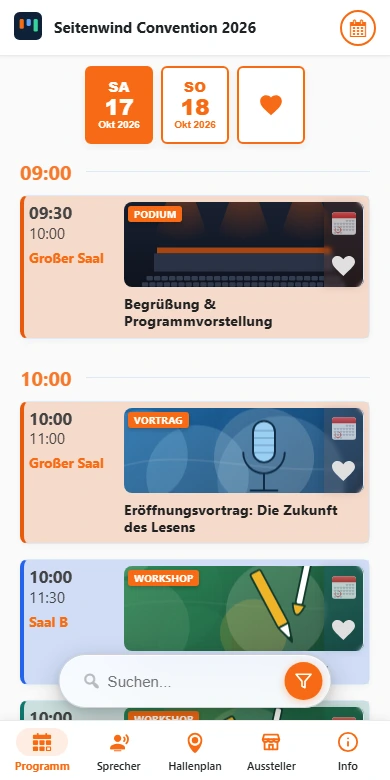
Your own event app is expensive, and many visitors never install it. With the app mode from the PRO plan, guests open your program instantly in the browser via QR code. The navigation bar at the bottom makes it handle like an app.

09:41
5G 100%
Genuine screenshot of mobile app mode with Seitenwind Convention demo data
WordPress Backend → Settings → Full-screen & App
Preview: Full-screen and app settings in WordPress backend

Both plugins share these settings: A single click enables the bottom navigation bar on phones and tablets and connects the schedule and exhibitor directory. Print-ready QR codes for your flyers and posters can be generated separately with a few clicks in the built-in Shortcode Generator (downloadable as PNG or SVG).

Made for your thumb

On smartphones and tablets, the navigation sits where your thumb is: program, speakers, map and exhibitors are always just one tap away.

No download, no account

No app store, no Apple ID, no Google account. Visitors scan the QR code at the entrance and are right in the program.

Two plugins – one shared view

If both plugins are running, you can bring them together: the exhibitor plugin adds the map and booths, the calendar the program and speakers.

Your own start page (Wi-Fi, FAQs, dining)

Add your own section for Wi-Fi, cloakroom, dining or FAQs. If you like, it becomes the start page of the app view: your welcome for every guest.

Fits every smartphone

Rounded displays, camera cut-outs and home bars are taken into account. All buttons stay clear and easy to reach.

Can also be installed as an app

If you like, the full-screen pages can go on the home screen as an icon. The required files are not included, but our online help explains the setup step by step.

Together

Program and Exhibitors Know Each Other

With both plugins active, you link a program item to an exhibitor once in the backend. Both sides then show the connection on their own. The link is part of the PRO plan.

In the calendar

Exhibitor on the program item

The detail view shows the linked exhibitor with logo, type and country. One click opens its pop-up, right from the program.

In the calendar

Hall plan for the room

The calendar highlights the hall on the plan in colour. The other way round, a click on the room in the plan shows what takes place there.

In the exhibitor directory

Program items on the exhibitor

An exhibitor’s details list its program items as tiles. A filter shows exhibitors with or without a session.

On the speaker page

Sessions and booths

Anyone who speaks and exhibits has both on their page, split into upcoming and past.

Same link fields for website, shop and social mediaSame filter controls in program and directoryA public API each, pointing to one another

Documentation & Support

Comprehensive online help

You’re not on your own with the setup: the online help guides you from the first steps through the hall plan to the checklist for event day.

85+ articles · Full-text search · Bilingual